Challenging assumptions
Challenging assumptions
Visual Brainstorming
Visual Brainstorming
Designers tend to be very visual, which is why we frequently use prototyping as a brainstorming method when there are only designers in the session (in other contexts, it could be intimidating for other participants).
Based on the insights we had gathered, an early assumption emerged: that all relevant information needed to be displayed on the same screen. Rather than accepting it as true, we decided to challenge it by asking a guiding question: how could this assumption be wrong?
From there, we started prototyping to explore whether it was possible to give users quick and easy access to information without forcing everything into a single view. The goal was to understand how much information could be progressively revealed while still feeling efficient and clear.
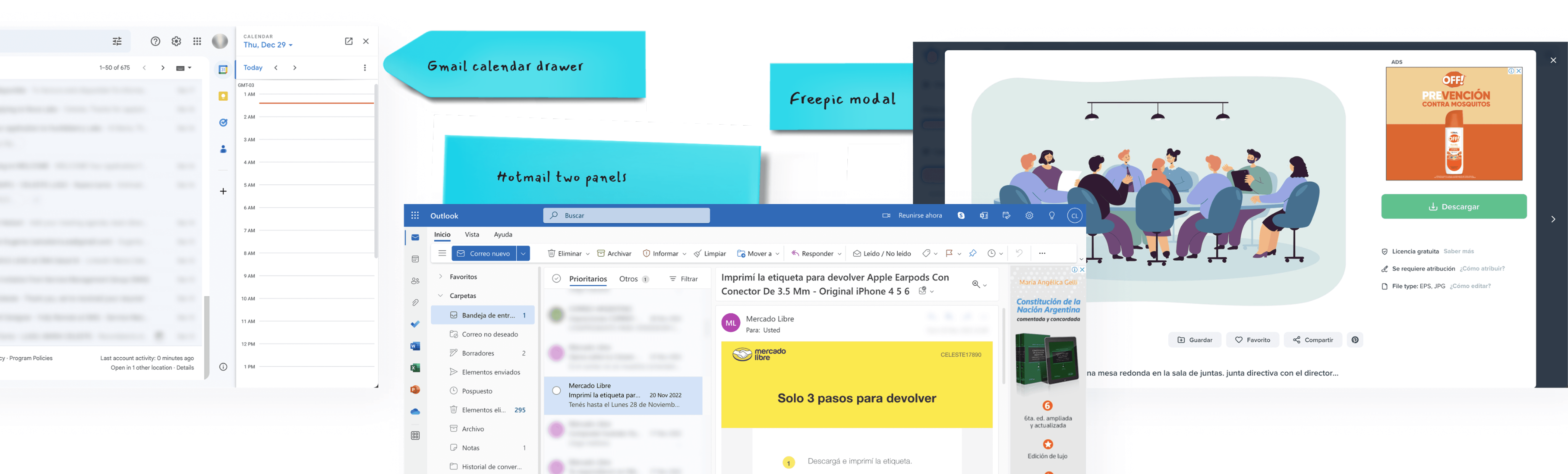
During the session, we shared different sketches and interface examples, discussing how other products handle large volumes of information when complexity is unavoidable. This visual exchange helped us reflect on our assumptions and explore alternative ways of approaching the problem.
By the end of the exercise, two solutions stood out as particularly effective for this context: the use of drawers to reveal information on demand, and keyboard shortcuts to support faster navigation. Both options allowed us to reduce cognitive load without compromising access or efficiency.
Designers tend to be very visual, which is why we frequently use prototyping as a brainstorming method when there are only designers in the session (in other contexts, it could be intimidating for other participants).
Based on the insights we had gathered, an early assumption emerged: that all relevant information needed to be displayed on the same screen. Rather than accepting it as true, we decided to challenge it by asking a guiding question: how could this assumption be wrong?
From there, we started prototyping to explore whether it was possible to give users quick and easy access to information without forcing everything into a single view. The goal was to understand how much information could be progressively revealed while still feeling efficient and clear.
During the session, we shared different sketches and interface examples, discussing how other products handle large volumes of information when complexity is unavoidable. This visual exchange helped us reflect on our assumptions and explore alternative ways of approaching the problem.
By the end of the exercise, two solutions stood out as particularly effective for this context: the use of drawers to reveal information on demand, and keyboard shortcuts to support faster navigation. Both options allowed us to reduce cognitive load without compromising access or efficiency.